Shopify SEO: Declining Traffic, Diagnosis, and Practical Solutions
Is your Shopify SEO traffic declining, and are you looking for practical solutions? This article is your essential guide to diagnosing the causes and implementing an effective action plan. Whether the drop is due to technical issues, duplicate content management, algorithm updates, or a lack of optimization, we provide you with the key steps to analyze the situation and regain your visibility. Learn how to identify warning signs, correct common mistakes, and apply proven strategies to not only regain your traffic but also grow it sustainably.
- Shopify structurally generates duplicate content via its collections system: this is the most frequent and least recognized SEO cause of organic traffic loss on this platform.
- A drop in traffic to a Shopify store can be the result of a tracking problem, a Google algorithm update, an unanticipated technical change, or increased competition on your target queries.
- Shopify themes, overloaded with third-party apps and cumbersome scripts, are often the primary cause of Core Web Vitals degradation, and therefore loss of positions.
- Product descriptions copied from suppliers are an SEO time bomb: Google detects them, devalues them, and gradually penalizes the visibility of the entire store.
- Collection pages without textual content represent a massively overlooked SEO opportunity on Shopify: they can generate considerable traffic if properly optimized.
- Recovering SEO traffic from a Shopify store takes from a few weeks to several months, depending on the nature of the problem: method and regularity are the only reliable gas pedals.
- A SEO audit quarterly is the best insurance against a further fall: it's better to detect a problem in advance than to react to a drop in sales.
I'm going to be straight with you: a drop in SEO traffic on a Shopify store isn't just a visibility problem. It's a drop in sales, often immediate and measurable, that affects the very viability of your online business. And it's precisely for this reason that it needs to be dealt with methodically, without haste, and above all with a precise knowledge of the specifics of Shopify, which is far from being an SEO-friendly platform by default.
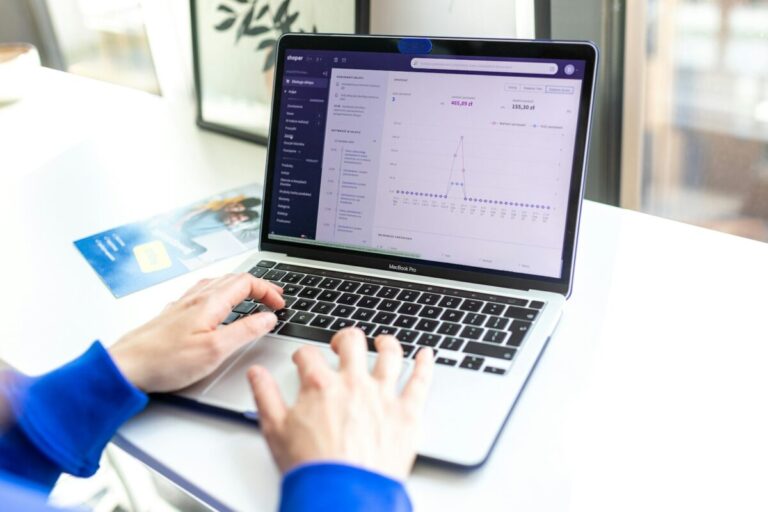
Because that's the point I want to make from the outset: the causes of a drop in organic traffic on Shopify are not the same as on a WordPress, a showcase site, or a blog. Shopify imposes its own architectural constraints, generates duplicate content almost automatically, and exposes its merchants to specific technical problems that generic SEO advice doesn't cover. In this article, I'm going to guide you through a complete diagnosis, adapted to the realities of Shopify, from the most common causes to the most effective solutions. Let's get started.
Shopify SEO specifics to know before diagnosing
Before looking into why your traffic has dropped, it's important to understand the terrain you're operating in. Shopify is a powerful and accessible e-commerce platform, but it imposes a number of structural SEO constraints that many merchants ignore until they cost them positions in Google. Here are the most important ones to bear in mind.
How Shopify handles indexing and why it's different from WordPress
On WordPress, you have almost total control over the structure of your URLs, your robots.txt file, your noindex tags, and your sitemap. On Shopify, some of these parameters are managed by the platform itself, and you can't change them all freely. Shopify automatically generates an XML sitemap, partially manages the robots.txt file, and imposes a fixed URL structure for products, collections, pages and blog posts. This rigidity has its advantages in terms of simplicity, but it also creates problematic situations that you can't always correct without using workarounds.
Shopify URLs and their imposed structure
On Shopify, URLs follow a fixed structure that you can't freely modify. Products are accessible under /products/product-name, collections under /collections/collection-name, blog posts under /blogs/blog-name/article-name. This structure has the advantage of being consistent and predictable, but it can cause problems when you want to create a finer semantic architecture, or when you're migrating from another platform with different URLs. It also means that each product belonging to several collections is accessible via several different URL paths, which mechanically creates duplicate content.
Shopify's native duplicate content: the most misunderstood structural problem
This is, by far, the most Shopify-specific SEO problem, and the one I encounter most frequently when auditing troubled stores. Here's what happens: the same product can be accessed via its canonical URL (/products/my-product) but also via the URL of each collection to which it belongs (/collections/my-collection/products/my-product). Google thus sees two distinct URLs pointing to the same content, creating a duplication problem that the platform tries to manage via automatic canonical tags, but not always optimally.
My opinion on this is unambiguous: Shopify handles canonicals correctly in most cases, but this automatic management has its limits, especially when third-party themes or apps modify the default behavior. This is one of the first things I check during a Shopify audit.
A drop in SEO traffic on Shopify may require a comparison with PrestaShop to identify the best solutions.
If your Shopify SEO traffic is dropping, it's worth comparing the causes of a poorly referenced WordPress site to identify similar problems.
A drop in SEO traffic on Shopify can be due to a variety of reasons, including if your site is penalized by Google.
Shopify's robots.txt file: what the platform blocks by default
Until 2021, Shopify's robots.txt file was entirely managed by the platform and inaccessible to merchants. Since then, Shopify has made it possible to modify it via a robots.txt.liquid file in the theme. By default, Shopify blocks several sections of the site from indexing, including search (/search), customer account (/account), shopping cart (/cart) and certain administrative pages. While these restrictions are generally appropriate, they can sometimes inadvertently exclude useful URLs, particularly if your theme generates dynamic pages that you wish to index.
A drop in SEO traffic on Shopify can sometimes be a sign that a site is being penalized by Google, requiring rapid intervention.
A drop in Shopify traffic can sometimes be an early warning sign of a site penalized by Google, requiring prompt diagnosis.
If your Shopify SEO traffic is declining, the first step is to check Google Analytics for an accurate diagnosis of the causes.
A drop in traffic on Shopify can sometimes be the sign of a Google penalty, It's important to be able to identify and correct them quickly.
Shopify themes and their impact on Core Web Vitals
The theme is the element that has the most direct impact on your store's technical performance. Shopify themes, whether free or premium, vary considerably in terms of technical quality. Some are optimized for speed and Core Web Vitals, others are behemoths loaded with superfluous features that weigh down every page with unnecessary scripts. And beyond the theme itself, every app you install from the Shopify App Store usually injects JavaScript code and additional requests that progressively degrade your store's performance.
First check: confirm that the drop is real
Before embarking on an in-depth diagnosis, you need to make sure that the drop you're observing is real, and not simply the reflection of a measurement problem or a normal seasonal cycle. It's a step many people skip, and one that can waste a lot of time if omitted.
If your SEO traffic on Shopify has dropped, check whether a recent redesign is the cause.
Cross-reference Shopify Analytics, Google Analytics 4 and Google Search Console
Shopify has its own analytics tool, which measures sessions and sales directly from the platform, independent of your Google Analytics tag. If your traffic has dropped in Google Analytics but remains stable in Shopify Analytics, you probably have a GA4 tracking problem and not a real drop in traffic. If the drop is confirmed in both tools, cross-reference with Google Search Console to isolate the organic component: if Search Console confirms a drop in organic clicks and impressions, you have a real SEO drop to investigate.
If your Shopify store is experiencing traffic problems, it's crucial to check whether your WordPress site is not poorly referenced for technical reasons.
Distinguishing between a drop in organic traffic and an overall decline
A drop in overall traffic to your store can mask very different realities. The end of a Google Ads campaign, a reduction in your activity on social networks, or the loss of a partnership can cause a drop in overall traffic without your SEO being at fault. Segment your traffic by channel in Google Analytics 4 (Acquisition > Traffic > Traffic acquisition) and identify which channel has declined the most. If the decline is concentrated in the organic channel, the SEO diagnosis is justified. If not, look first at your paid or social acquisition strategy.
Common tracking errors on Shopify
Shopify is a platform that integrates many third-party tools, and this integration can sometimes create tracking conflicts. The most common problems I see are: the duplicated GA4 pixel (installed both via Google Tag Manager and via the Shopify native integration), a cookie consent CMP that blocks the tag from loading before acceptance, or a poorly executed migration to GA4 that has created a break in data continuity. Check via Google Tag Assistant that your GA4 tag is triggered only once per page, and that it is triggered on all your store's pages, including order confirmation pages.
E-commerce seasonality: don't confuse trends with normal cycles
E-commerce is subject to very marked seasonal cycles, which vary according to your sector and target market. A fashion boutique will typically see its sales and traffic peak in September and January, during seasonal wardrobe renewals. A sports store will experience peaks in January (New Year's resolutions) and before summer. A decorating boutique will follow the cycles of the festive season and spring renewal. Before jumping to the conclusion of a structural decline, compare your current traffic with the same period last year. If the two curves are comparable, your decline is seasonal and requires no corrective action.
If you're using Shopify, be aware that SEO problems can occur even if your WordPress site is well configured.
A drop in traffic on Shopify can sometimes be the sign of a Google penalty, So it's essential to know how to deal with the situation.
Identifying the precise date of the fall: the starting point for any diagnosis
In Google Search Console, set the period to the last 16 weeks and observe precisely the day when organic clicks began to decline. This date is your common thread. It will enable you to correlate the drop with a precise event: a Google update, a modification to your store, the installation of a new app, a change of theme, or an editorial change. Without such a date, you're looking in the dark. With it, you have a solid starting point for your investigation.
The problem of duplicate content on Shopify: the No. 1 cause often overlooked
I'm going to devote an entire section to this subject, because it fully deserves it. Duplicate content on Shopify isn't a consequence of poor editorial practice: it's a direct consequence of the platform's architecture. And it's precisely for this reason that it's so often ignored by merchants who think their content is unique, when in Google's eyes it's not.
How Shopify automatically generates duplicate URLs for products
Here's the precise mechanism of the problem. Every product on Shopify has a canonical URL of the form /products/product-name. But when you navigate to that product from a collection, Shopify generates an alternative URL of the form /collections/collection-name/products/product-name. These two URLs display exactly the same content: the same product sheet, the same images, the same description. Google discovers them both when crawling your site, and is confronted with duplicate content.
Shopify theoretically manages this problem by automatically adding a canonical tag to collection URLs that points to the main /products/ URL. But this automatic management can be disrupted by certain themes or apps modifying canonical tags, creating a duplication situation that Google no longer knows how to resolve. The result: a dilution of authority between the two URLs, and less effective indexing of your product sheets.
The problem of multiple collections: the same product via several paths
If your store is well organized, you probably have products that belong to several collections simultaneously. A pair of skinny jeans may belong to the «Jeans» collection, the «New Products» collection and the «Sale» collection. This means that this product can be accessed via three different collection URLs, in addition to its main canonical URL. Four URLs for a single product, with the same content: this is a quadruple duplication situation that Google is going to have to deal with, and which it doesn't always handle favorably.
Product variants and content duplication
Product variants (color, size, material) are another source of duplication on Shopify. If you create separate products for each major variant (instead of using Shopify's built-in variant system), you end up with dozens of nearly identical product sheets, differentiated only by a few words. Google perceives these sheets as duplicate content or low added value, and depreciates them in its rankings. The solution is to use Shopify's native variant system, which groups all variations of a product into a single URL.
Unmanaged pagination pages
Your product collections are probably paginated: when a collection contains more products than your theme displays on a single page, Shopify generates additional pages accessible via URL parameters such as /collections/my-collection?page=2, /collections/my-collection?page=3, etc. These pagination pages display different product lists, but with identical title tags and collection descriptions. These pagination pages display different product lists, but with identical title tags and collection descriptions. This is an additional source of duplication that many merchants never see, because it's invisible from the Shopify interface.
How to diagnose the extent of a duplication problem
The most effective tool for mapping duplicate content on your Shopify store is Screaming Frog SEO Spider (free up to 500 URLs). Start a crawl of your store, then go to the «Content» tab and filter by «Near Duplicates» and «Exact Duplicates». You'll get an exhaustive list of all pages whose content is identical or almost identical to another page in your store. The sheer volume of these duplicates is often staggering for merchants who have never considered the issue before.
Solutions: canonical, consolidation and restructuring
The main solution to the duplication problem on Shopify is to ensure that canonical tags are correctly configured on all alternative URLs, and that they point to the main /products/ URL. Check in the source code of your product pages (Ctrl+U in the browser, then search for «canonical») that the canonical tag is present and correct. If your theme doesn't handle canonicals correctly, apps like SEO Manager or Smart SEO can correct this problem. For pagination pages, configure your robots.txt to exclude page parameters from indexing, or ensure that paginated pages carry a canonical to the first page of the collection.
Google algorithm updates and their impact on Shopify stores
Beyond Shopify's own structural problems, Google's algorithm updates are a frequent cause of declining organic traffic to e-commerce stores. And some of these updates have been particularly dreadful for online merchants. Here's what you need to know.
Core Updates that have particularly affected e-commerce
Google's Core Updates periodically reassess the quality and relevance of all indexed websites. E-commerce stores are particularly exposed to these updates, because they often accumulate several signals that Google penalizes: duplicate content, short and uninformative product sheets, a user experience focused on sales rather than information, and a weak backlink profile. If your drop in traffic coincides with a Core Update, it's a signal that your store has qualitative weaknesses that Google has decided to penalize.
Helpful Content Update and generic product sheets
The «Helpful Content Update», deployed by Google since 2022, specifically targets content that appears to be written for search engines rather than users. Product sheets that are too short, too generic, or obviously copied from a supplier catalog are exactly the type of content this update penalizes. If your product sheets are limited to a few lines of description and copied technical specifications, you are permanently exposed to this risk, and each new update can worsen your situation.
Product Reviews Updates: the impact on product reviews
Google regularly rolls out specific product review updates, which assess the quality and authenticity of review content published on e-commerce sites. These updates favor reviews that are detailed, personal and provide real information value, as opposed to short, generic reviews. If your store uses reviews imported en masse from third-party platforms, or if your reviews are poorly supplied and lack detail, you may lose positions on product queries as a result of these updates.
How to check if an algo update coincides with your drop
Consult the Google Search Status Dashboard (search.google.com/search-status/dashboard) and the Search Engine Roundtable site, which lists all known algorithmic fluctuations, both official and unofficial. Compare the deployment dates of recent updates with the start date of your downturn identified in Search Console. If they coincide, you have your main cause. In this case, the correction is not technical: it's editorial, and involves a substantial enrichment of your product and collection content.
What Google expects from a product listing in 2025
My opinion on this is clear and uncompromising: a product sheet that ranks well on Google in 2025 can't simply reproduce the manufacturer's technical specifications. It must provide real information value: a description written for the buyer (not for the engine), usage tips, compatibility information, answers to frequently asked customer questions, detailed reviews, and if possible comparisons with similar products in your catalog. This editorial richness is what distinguishes a product listing that Google wants to highlight from one that it will progressively de-prioritize.
Technical causes specific to Shopify
Technology is often the poor relation of Shopify stores, because the platform presents itself as a turnkey solution that «manages everything». In reality, the technical decisions you make, particularly when it comes to themes and apps, have a direct and measurable impact on your SEO performance. Here are the most common technical causes of traffic loss.
Slow Shopify themes: apps, scripts and unoptimized images
Every app you install from the Shopify App Store usually adds one or more JavaScript scripts to your store. These scripts load on every page, even when the app is not needed. After a few years of use, a «standard» Shopify store can easily have accumulated 15 to 20 active apps, some of which no longer serve any purpose, but whose scripts continue to load. The result is an increasingly sluggish store, with Core Web Vitals gradually deteriorating, and positions eroding accordingly.
Unoptimized images are another major cause of slowness on Shopify. High-resolution, uncompressed product images can easily weigh several megabytes per page. Shopify has an automatic image resizing system, but it doesn't always compress optimally. Apps like TinyIMG or Crush.pics can automate image compression and significantly reduce the weight of your pages.
Excessive JavaScript and its impact on crawling
Some modern Shopify themes make extensive use of JavaScript for visual effects, dynamic content loading and advanced search functionality. If this JavaScript is rendered client-side (CSR), without a server-side rendering (SSR) or pre-rendering solution, Google may have difficulty crawling and indexing your page content correctly. Check Search Console's URL inspection tool to see how Google renders your most important pages: if Google's rendering is significantly different from what you see in your browser, you have a JavaScript rendering problem to investigate.
Shopify apps that unknowingly degrade performance
I'm going to give you a tip that few merchants apply: test your store on PageSpeed Insights before and after each new app installation. This simple discipline allows you to measure the impact of each app on your performance, and make an informed decision about its real usefulness versus its cost in performance. Seemingly innocuous apps, such as email capture pop-ups, live chat widgets, or product rating systems, can degrade your LCP by several seconds.
Automatically generated title and meta description tags
By default, Shopify automatically generates the title and meta description tags for your product sheets from the product name and description. The result is often poorly optimized titles, either too long or too short, that don't contain the most relevant target keywords. On a large store with hundreds or thousands of products, writing each tag manually is a considerable amount of work. Apps like SEO Manager enable you to create tag templates that automatically generate optimized titles and meta descriptions based on your products' attributes (name, category, brand, material...), guaranteeing a consistent, optimized format across your entire catalog.
Impoverished internal links: poorly structured collections and orphan pages
A Shopify store's internal mesh is often left in its native state, i.e. limited to menu navigation links and links between suggested products. This is insufficient for a serious SEO strategy. Your Shopify blog posts should systematically point to the corresponding collections and products. Your collection pages should link to each other when they are thematically close. And your product sheets should offer links to other relevant products, not just via an automatically generated «You'll like this too» widget, but via editorial mentions in the description.
The Shopify sitemap: how it works and its limitations
Shopify automatically generates an XML sitemap accessible at yourshop.co.uk/sitemap.xml. This sitemap lists your products, collections, pages and blog posts. It's generally well structured and updates automatically when you add or remove content. Its main limitation concerns large stores: if your catalog exceeds several thousand products, the sitemap can become very voluminous and time-consuming to crawl. Check in Search Console that your sitemap is correctly submitted and that Google is not reporting any errors in its processing.
| Technical point to be checked | Recommended tool | Priority level |
|---|---|---|
| Core Web Vitals (LCP, CLS, INP) | PageSpeed Insights | 🔴 review |
| Canonical tags on collection URLs | Screaming Frog / Source code inspection | 🔴 review |
| Duplicate content (products, collections, pagination) | Screaming Frog SEO Spider | 🔴 review |
| Product title and meta description tags | Screaming Frog / Search Console | 🟠 Urgent |
| Third-party scripting and its impact on speed | PageSpeed Insights / GTmetrix | 🟠 Urgent |
| Error-free XML Sitemap submission | Google Search Console | 🟠 Urgent |
| Internal linking (blog links → collections → products) | Screaming Frog / Manual audit | 🟡 Important |
| JavaScript rendering of strategic pages | Search Console > URL inspection | 🟡 Important |
Editorial causes: is your content really optimized?
The technical side can be flawless, and a Shopify store can still lose traffic if its editorial content is insufficient. It's a dimension that many merchants neglect, absorbed as they are by the operational aspects of their business. Here are the main editorial weaknesses I observe on struggling stores.
Product descriptions copied from suppliers
This is the most widespread practice, and the most dangerous for SEO. When you launch a dropshipping or third-party distribution store, it's tempting to copy and paste the product descriptions provided by the manufacturer or distributor. The problem is that dozens, if not hundreds, of other stores are doing exactly the same thing. Google is faced with thousands of identical pages on different sites, and has to choose which one to display. In the vast majority of cases, it will choose the original manufacturer's site, or the most authoritative platforms. Yours will be relegated or ignored.
The solution is as simple to state as it is laborious to implement: write your own descriptions, in your own words, for your own audience. Bring in a distinctive angle: your personal experience of the product, use cases specific to your clientele, frequently asked questions from your customers, or usage tips that the manufacturer doesn't mention. This added editorial value is exactly what Google seeks to reward.
Product sheets too short for positioning
On competitive product queries, a 100-word data sheet has no chance of ranking against competitors offering 500 or 1,000 words, enriched with FAQs, maintenance tips, sizing charts and detailed customer reviews. Length is not an end in itself, but completeness is. A complete product sheet answers all the questions a potential buyer might have before placing an order: dimensions, materials, compatibility, care, warranty, delivery times, return policy. Each additional piece of information is an opportunity to position your page on additional queries.
Lack of editorial content on the Shopify blog
Shopify integrates a blog module that is often under-exploited, and this is a strategic error that I regularly deplore. Informational queries, those typed by Internet users in the research phase before buying («how to choose a road bike», «which size snowboard for which body shape», «the best essential oils for sleeping»), often represent several times the volume of direct transactional queries. These queries don't convert immediately, but they do enable us to attract qualified prospects in advance of their purchasing decision, and naturally introduce them to your catalog when they visit.
Collection pages without textual content
This is the most massively overlooked SEO opportunity on Shopify. Most collection pages boil down to a title, a sorting filter and a product grid. No presentation text, no category description, no useful information for the buyer. Yet these pages are often the most likely to rank on high-volume category queries («women's hiking boots», «3-seater sofa bed», «men's automatic watch»). A well-written, well-optimized 200- to 400-word footer can turn an almost invisible page into a qualified traffic generator.
Inappropriate keyword targeting
A product catalog can be perfectly written and technically flawless, yet remain invisible if the targeted keywords are either too competitive for your level of authority, or so poorly searched that they don't generate any traffic. Before writing or rewriting your listings and collections, systematically validate the monthly search volume and difficulty of each target keyword via Semrush, Ahrefs, or Google Keyword Planner. Give preference to long-tail queries specific to your products, with reasonable volume and accessible competition for your current domain authority level.
E-commerce competition has intensified: how to assess it?
Sometimes, your Shopify store hasn't done anything wrong. It hasn't been hit by an update, it doesn't have any major technical problems, and its content is fine. Yet its traffic is dropping. The reason, in this case, is often external: competition on your target queries has strengthened, and your store has been mechanically relegated without having regressed in absolute terms.
Marketplaces crush independent stores
It's a reality I have to tell you frankly, even if it's hard to hear. On generic product queries («buy grey fabric sofa», «men's running shoes», «connected watch»), Amazon, Cdiscount, Fnac and the big chains have the domain authority and content volume that independent stores simply can't compete with on these same queries. This is not inevitable: it's an invitation to refine your targeting and position yourself on more specific queries where your expertise and niche create a differentiating advantage.
The arrival of new Shopify competitors on your target keywords
The rise of e-commerce has considerably increased the density of competition on almost all product queries. Well-funded Shopify stores, with dedicated SEO teams, are regularly entering niche markets and taking up positions in just a few months that were previously accessible to smaller players. Regularly monitor the SERPs on your strategic queries to detect the emergence of new competitors and anticipate the potential erosion of your positions.
Analyze competitors' positions on your strategic queries
In Semrush, use the «Keyword Gap» feature to compare your visibility with that of your direct competitors on your target queries. Identify the queries on which a competitor has recently overtaken you, examine its corresponding page, and analyze what it does better than yours: is it more complete, better structured, more recent, better backlinked? These elements will give you a clear roadmap for regaining the upper hand.
Queries where you can still make your mark despite the marketplaces
Very specific long-tail queries, queries with local intent («boutique vélo Rennes», «fleuriste livraison Lyon»), queries that require in-depth sector expertise, and branded queries about your own products: these are the territories where an independent Shopify store can make a lasting impact against the marketplaces. Individually, these queries have a lower volume, but their conversion rate is often much higher, because they attract buyers with very specific purchasing intent.
The long tail strategy as a counterweight to marketplaces
This is the strategy I systematically recommend to independent Shopify stores operating in sectors dominated by the big platforms. Rather than fighting head-on on «buy sofa», position yourself on «modular corner sofa light grey chenille fabric living room 25m2». This query may be searched 50 times a month, but the 50 people typing it know exactly what they want, have probably already made their selection, and are ready to buy. The multiplication of these long-tail queries creates a flow of qualified traffic which, added together, can exceed in value the traffic from generic queries that you'll never capture against Amazon.
Migrations and modifications that may have ruined everything
I'm going to turn now to a cause of decline that many people don't immediately suspect: the changes you've made to your store yourself. A theme update, a URL change, the addition of an app: all seemingly innocuous actions that can have significant SEO consequences if not anticipated.
Changing Shopify themes without prior SEO verification
Changing theme is one of the riskiest operations from an SEO point of view on Shopify. A new theme can change the structure of title tags, remove canonical tags, degrade Core Web Vitals, alter the structure of internal linking, or introduce unintentional duplicate content. If your traffic drop coincides with a change of theme, this is your first line of investigation. Compare the source code of the old and new themes on your most important pages to identify structural differences.
Modification of product or collection handles without redirects
On Shopify, the «handle» is the part of the URL that identifies a product or collection: it's the equivalent of the slug on WordPress. If you change the name of a product and Shopify automatically regenerates its handle, the old URL becomes a 404 if you haven't set up a redirect. Shopify lets you manage URL redirects from the administration interface (Navigation > URL Redirects), but this management is manual and often forgotten when catalog modifications are made. Check your Search Console «Coverage» report regularly to detect new 404 errors before they impact your positions.
Adding or deleting an app that has modified the page structure
Some Shopify apps profoundly modify the HTML structure of your pages by adding extra sections, scripts or metadata. Uninstalling these apps doesn't always cleanly remove their code, sometimes leaving orphaned script fragments that slow down your pages without adding any functionality. After each app installation or uninstallation, check PageSpeed Insights to ensure that your pages' performance has not been degraded.
Migration to Shopify from another platform poorly executed
If your traffic drop is old and dates back to when you migrated to Shopify from another platform (WooCommerce, PrestaShop, Magento, or other), the cause is almost certainly a poorly executed migration. URLs have changed, redirects are incomplete or absent, content has been partially lost or restructured, and SEO capital from the old platform has not been properly transferred. In such cases, the recovery process is lengthy and requires an exhaustive audit of redirects and lost content.
| Modification made | Associated SEO risk | Priority correction |
|---|---|---|
| Theme change | Degradation of Core Web Vitals, loss of canonicals, mesh modification | Full technical audit before and after migration |
| Modification of a product or collection handle | 404 error on old URL, loss of traffic and backlinks | Immediate 301 redirect to the new URL |
| Installing a new app | Page slowdowns, additional scripts, tag conflicts | PageSpeed Insights test before/after installation |
| Deleting an app | Orphaned code fragments, broken functionalities | Check source code, clean up manually if necessary |
| Migration from another platform | Massive loss of SEO capital, massive 404, lost content | Complete audit of redirects and migrated content |
Your store's backlink profile: a decisive factor often overlooked
Backlinks are often the missing link in the SEO strategy of Shopify stores. Merchants naturally focus on their catalog, performance and content, but neglect the off-page dimension of their SEO. And yet, on competitive product queries, the domain authority built up via backlinks can be the differentiating factor between first and tenth position.
Why Shopify stores often have a low link profile
Getting quality backlinks to an e-commerce store is inherently more difficult than getting them to a content site or blog. Editorial sites naturally link to informative articles, studies or useful resources. They much more rarely link to product sheets or collection pages. This is why content strategy via the Shopify blog is also valuable for netlinking: a quality blog post is far more likely to attract natural links than a product sheet, no matter how good the latter may be.
Loss of backlinks due to URL modification without redirects
I've already talked about this in the context of migrations, but I want to stress the backlinks dimension: every URL you modify without setting up a 301 redirect is not only a 404 error page for your visitors, but also a backlink rendered inoperative. If this URL was cited by third-party sites, all the «SEO juice» transmitted by these links disappears into nothingness. On a store with a dynamic catalog where products are regularly renamed, updated or restructured, the cumulative impact of these losses can be considerable.
Toxic links generated by certain partner apps or marketplaces
Certain Shopify apps or partnerships with marketplaces can generate backlinks from networks of low-quality sites. These toxic links can trigger Google's algorithmic filters and degrade your overall link profile. Check your backlink profile regularly in Ahrefs or Semrush, and disavow obviously toxic links via the Google Search Console disavow tool.
How to build quality e-commerce backlinks
The most effective netlinking strategies for a Shopify store are: publishing buying guides or informative content on your blog that attracts natural links from thematic sites, participating in quality industry comparators and directories, getting mentions and reviews in specialized media in your sector via digital press relations, and creating partnerships with influencers or bloggers who write feature articles about your products. These approaches take time, but they build a long-lasting, high-quality link profile that Google rewards.
The step-by-step diagnostic plan for a Shopify store
This is the most operational section of this article. I'm going to give you the exact protocol I apply during an SEO audit of a Shopify store that's losing traffic. Follow the steps in order: each step eliminates a category of causes and refines the diagnosis.
Step 1: Audit indexing via Search Console and the site command:
Start by typing «site:votreboutique.fr» into Google and noting the number of pages indexed. Compare this number with what you expect: if you have 500 products, 30 collections, and 50 blog posts, you should have around 600 indexed pages. If the number is significantly lower, you have an indexing problem to investigate. Cross-reference with the «Coverage» report in Search Console to identify excluded pages and the reasons for their exclusion.
Step 2: Identify the most affected pages and collections
In Search Console, activate the period comparison (before and after the drop) and sort the pages by decreasing click difference. Identify the 20 most affected pages. Are they concentrated on a specific collection? On a product type? On blog posts? This localization of impact tells you where to focus your corrective efforts first.
Step 3: Detect duplicate content with Screaming Frog
Start a crawl of your store with Screaming Frog and analyze the results in the «Content» tab. Filter by «Near Duplicates» to identify pages with nearly identical content, and by «Canonicals» to check that canonical tags are correctly configured on all your collection URLs. Export the list of identified problems and prioritize them by volume of organic traffic concerned.
Step 4: Audit the Core Web Vitals of the current theme
Test your most important pages on PageSpeed Insights, especially on mobile. Make a note of the scores you obtain and identify the most significant problems: images that are too heavy, blocking scripts, server response times, or excessive client-side rendering. Compare these scores with the benchmarks for your sector, available in Search Console's Chrome User Experience report.
Step 5: Check redirects on modified URLs
Export your list of historical URLs from Search Console (Coverage > All known pages report) and check their HTTP status via Screaming Frog. Every URL that returns a 404 error and had impressions in Search Console is a redirect priority. Go to Shopify Store > Navigation > URL redirects to create the missing redirects.
Step 6: Analyze lost positions via Semrush or Ahrefs
In Semrush, access your domain's «Organic Search» report and filter the keywords by position evolution over the period corresponding to your decline. Keywords that have dropped by 5 positions or more are your priorities for winning them back. For each one, analyze the current SERP and identify which competitor has overtaken you, and why their page is better positioned than yours.
Priority corrective actions according to the type of problem identified
The diagnosis has been made. Here are the corrective actions to be implemented, in order of priority and potential impact. I recommend that you treat them sequentially rather than attacking everything simultaneously: mass modifications to an active store can create new instabilities.
Correcting duplicate content: canonicals and consolidation
Manually check the canonical tags of your main product sheets by inspecting their source code. The canonical tag should point to /products/product-name, not to a collection URL. If your theme generates incorrect canonicals, use an SEO app like SEO Manager or Smart SEO to override them correctly. For pagination pages, configure your robots.txt to exclude ?page= parameters from indexing.
Enrich product sheets and collection pages
Start with the most strategic pages, i.e. those that have lost the most traffic according to your Search Console analysis. For each priority product listing, write an original description of at least 300 words that answers your buyers' questions. For your main collections, add a 200- to 400-word presentation text in the footer, optimized for the target category keyword. These editorial improvements generally produce visible effects within weeks of being indexed by Google.
Optimize theme speed: images, scripts and superfluous apps
Start by auditing your active apps and deactivating those you no longer use. Next, compress your product images with a compression app or directly before uploading them. Check that your theme loads scripts in a delayed manner («defer» or «async» attribute) so as not to block page rendering. These optimizations can significantly improve your LCP and reduce your store's overall loading time.
Set up missing redirects
From your list of 404-error URLs identified during diagnostics, create the corresponding 301 redirects in Shopify (Navigation > URL Redirects). Prioritize URLs that had the most impressions in Search Console prior to their modification, and those carrying backlinks from third-party sites. Once the redirects are in place, submit the corrected URLs for reindexing via the URL inspection tool in Search Console.
Launch a content strategy via the Shopify blog
Define an editorial calendar of at least two articles per month on informational topics related to your catalog. Each article should target a specific informational query (validated in terms of volume and difficulty), provide real value to your audience, and integrate natural links to your relevant collections and product sheets. This regular editorial work is one of the most profitable long-term SEO investments for a Shopify store.
Building a coherent internal network
Strengthen your store's internal mesh by adding contextual links in your product descriptions to other complementary products, in your blog posts to corresponding collections, and in your collection pages to buying guides and informative articles. This mesh transmits authority to the pages you wish to position, and improves the depth of exploration of your store by Googlebot.
Recommended SEO tools for Shopify stores
I'm going to present the tools I use or systematically recommend for Shopify store SEO, from native apps to professional solutions, with an honest assessment of their real usefulness for each.
| Tool | Main function | Price guide | Relevance to store size |
|---|---|---|---|
| Google Search Console | Indexing, organic performance, crawl errors | Free | All sizes - essential |
| Google Analytics 4 | Analysis of traffic, behavior and conversions | Free | All sizes - essential |
| Screaming Frog SEO Spider | Technical audit, duplicate content, canonicals | Free up to 500 URLs / €259/year | Medium to large stores |
| PageSpeed Insights | Core Web Vitals, theme performance | Free | All sizes - essential |
| Semrush or Ahrefs | Positions, keywords, backlinks, competitive analysis | From €109-130/month | Boutiques with dedicated SEO budget |
| SEO Manager (Shopify app) | Title/meta tags, canonical, structured data | Approx. €20/month | Small to medium-sized stores |
| Smart SEO (Shopify app) | Tag automation, structured data, alt tags | Approx. €10/month | Small stores with few resources |
| TinyIMG (Shopify app) | Image compression, automatic alt tags | Free (limited) / from €9/month | All stores with image catalog |
My opinion of Shopify SEO apps is nuanced: they can bring real value to small to medium-sized stores, particularly for automating tag generation and managing structured data. But they're no substitute for a regular manual audit, and their proliferation can paradoxically weigh down your store if you're not vigilant about their impact in terms of performance.
How long does it take to get SEO traffic back from a Shopify store?
That's the question every e-merchant asks as soon as the first corrections are made. And I'm going to give you the straight answer you deserve, because promises of instant recovery are of no use to anyone.
Factors influencing recovery speed
The speed of recovery depends on several variables: the nature and severity of the problems identified, the speed with which you corrected them after the crash, the frequency with which Google crawls your store (which depends on its size and authority), and the competitive dynamics on your target queries. A simple technical correction, such as resolving an accidental noindex problem, can produce effects within a few days. A massive editorial rewrite or rebuilding of the backlink profile takes several months.
Rapidly recoverable declines vs. long-term structural declines
Declines caused by technical blocking (noindex, robots.txt, broken redirects) are generally recovered within 2 to 4 weeks of correction, while Google recrawls and reindexes the corrected pages. Declines caused by an algorithm update require sustained editorial work over 3 to 6 months before seeing any significant recovery. Declines due to a lack of domain authority in the face of stronger competitors may take 6 to 12 months of netlinking strategy to reverse.
Progress indicators to watch
Rather than looking only at your final positions, follow these intermediate indicators that signal recovery is underway: the gradual increase in impressions in Search Console (before an increase in clicks), the decrease in the number of 404 errors in the Coverage report, the improvement in PageSpeed Insights scores on your main pages, and the gradual return of positions on long-tail queries before generic queries.
When to consider specialized e-commerce SEO support
If, after applying the obvious corrections described in this article, your traffic continues to decline, or if the drop exceeds 40 % on organic traffic without any identified technical cause, it's time to consider professional support. An SEO consultant specialized in e-commerce goes beyond what standard tools can reveal: he analyzes the semantic consistency of your catalog, the effectiveness of your collection architecture, and the behavioral signals influencing your rankings. #YOUR-ANCHOR I'll offer you a complete audit of your Shopify store, with a structured action plan prioritized according to the potential impact of each correction.
Sustainable SEO best practices for Shopify
In conclusion, I'd like to share with you the practices that, if applied with regularity, will prevent you from finding yourself in this situation again in six months' time. E-commerce SEO is not a one-off job: it's a discipline of ongoing maintenance.
Structuring collections as SEO landing pages
Every collection in your store is a potential landing page for a category query. Treat it as such: write an optimized title, a neat title tag and meta description, and introductory text in the footer that explicitly targets the category keyword. Organize your collections logically and consistently, with a clear hierarchy that facilitates navigation and internal linking.
Publish regularly on the Shopify blog
A minimum of two articles per month, targeting validated informational queries in volume and difficulty, with natural links to your products and collections. This editorial regularity signals to Google that your store is active and relevant, attracts qualified traffic upstream of the purchase decision, and generates opportunities for natural backlinks from thematic sites.
Monitor the SEO impact of each new app installed
Before installing a new app, test your PageSpeed Insights score on your home page and a product page. Install the app, test again. If the degradation is significant, assess whether the added functionality is worth the performance cost. This simple discipline helps you avoid the gradual accumulation of useless scripts that end up making your store too slow for Google.
Keep an eye on Google updates
Subscribe to Google Search Status Dashboard alerts and follow Search Engine Roundtable on social networks to be informed of update rollouts in real time. Set up annotations in Google Analytics every time an update is deployed: these markers will enable you to quickly correlate a future drop with an algorithmic cause, without wasting time on unnecessary technical diagnostics.
Set up a quarterly SEO audit
I recommend a minimum quarterly SEO audit for any Shopify store that generates significant sales from the organic channel. This audit covers: checking Core Web Vitals, checking crawl errors in Search Console, analyzing positions on strategic queries, checking the backlink profile, and reviewing top-performing content. Four hours per quarter can save you weeks of crisis and considerable loss of revenue.
Things to remember before closing this article
A Shopify store losing SEO traffic faces specific problems that generic advice doesn't address. Structural duplicate content, themes weighed down by third-party apps, URLs without redirects after catalog modification, and product sheets copied from suppliers: these are the most frequent, and most actionable, causes.
The method in this situation is everything. Confirm the drop, identify its precise date, isolate the channel concerned, cross-reference with Search Console, detect the pages affected, and look for the cause. Once identified, treat it with the appropriate remedy, measure the effects, and iterate. Organic traffic to a Shopify store can't be rebuilt in a few days, but it can be rebuilt, provided you're methodical, patient and rigorous in your corrections.
Frequently Asked Questions About Declining SEO Traffic on Shopify
How can you identify the cause of a drop in SEO traffic on Shopify?
To identify the cause of a drop in SEO traffic on Shopify, it’s crucial to start with a thorough diagnosis. This includes analyzing data in Google Search Console (changes in indexing, crawl errors, manual penalties), reviewing Core Web Vitals, detecting duplicate content (internal or external), and checking for recent changes to the site (theme, apps, URL structure). A methodical approach allows you to pinpoint technical, semantic, or popularity-related issues.
Is duplicate content a major issue for Shopify SEO?
Yes, duplicate content is a common and often underestimated cause of declining SEO traffic on Shopify. The platform naturally generates many URLs with similar content (product variants, filters, pagination, collections). Without careful management of canonical tags, robots.txt directives, and noindex meta tags, Google may have trouble determining which version to index, thereby diluting your pages’ authority and impacting your rankings.
What are the first steps to take to recover SEO traffic on Shopify?
The first steps to recover SEO traffic on Shopify include immediately checking Google Search Console for any critical alerts. Next, it’s essential to ensure the site is crawlable and indexable, fix 404 and 5xx errors, optimize Core Web Vitals for a better user experience, and begin auditing content to identify and resolve duplication issues. Implementing a structured action plan is fundamental.
How can you improve a Shopify site’s E-E-A-T for SEO?
Improving E-E-A-T (Experience, Expertise, Authority, Trustworthiness) for a Shopify site involves several strategies. Highlight the author’s or company’s experience through case studies, customer testimonials, and certifications. Demonstrate your expertise through in-depth, accurate content based on reliable data. Build your authority through high-quality backlinks and mentions within your industry. Finally, ensure your site’s trustworthiness with transparent information, a clear privacy policy, and responsive customer support.
Personalized, no-obligation analysis, response within 24/48 hours with 3-5 concrete quick wins.
150 entrepreneurs have already put their trust in us
🔒 Your data is never shared with third parties
