Google My Business: Optimize Your Listing to Boost Your Local SEO
Google My Business is a powerful tool for referencing Local: With the help of a freelance SEO consultant or an SEO agency, optimize your listing to attract more customers from Google Maps and local searches.
Google My Business: Everything You Need to Know About Setting Up and Logging In
If you are owner of a local business or company, you must use Google My Business (GMB). This free tool allows you to manage your online presence, appear on Google Maps, and interact with your customers. Yet many companies don't use it properly or are having trouble creating or logging into their account.
Are you wondering How to Create a Google My Business Account and Optimize It Want to boost your visibility? I'll show you how step by step, with tips for avoid common mistakes and maximize your local search engine optimization.
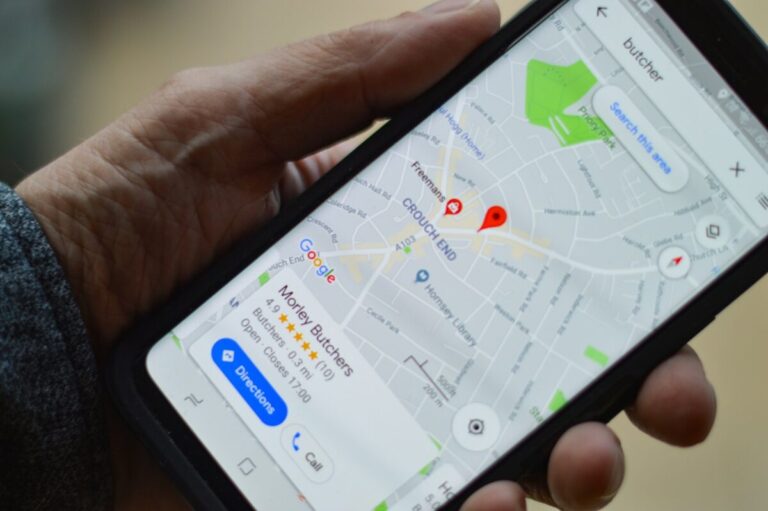
Why is Google My Business essential?
Before we get down to business, let’s take a moment to understand Why You Absolutely Must Have a Google My Business Listing.
✔ Increased visibility : Your business appears in local search results and on Google Maps.
✔ Interacting with your customers : You can respond to reviews, post updates, and share important information.
✔ Improving local search engine optimization : A well-optimized listing increases your chances of being seen by potential customers.
✔ Access to valuable statistics : You can follow searches, calls, and clicks on your profile.
💡 My opinion : Ignoring Google My Business today means leave money on the table and give your competitors the upper hand.
How do I create a Google My Business account?
Now let's move on to the practical part. If you don't have a Google My Business listing yet, here's how to create it in just a few minutes.
1️⃣ Go to Google My Business
- Go to Google My Business.
- Click on «Manage my profile».
2️⃣ Add your business information
You will need to fill in several required fields:
✔ Company name : It must match exactly as your business name.
✔ Activity category : Please specify your industry so that Google can better understand your business.
✔ Physical address or service area : If you have a physical store, include your full address. Otherwise, specify the areas where you offer your services.
✔ Telephone number and website : This information makes it easy for customers to contact you.
💡 SEO tips : Integrate natural keywords in your company description for optimize your SEO.
3️⃣ Verify your business
Before your listing becomes visible, Google must make sure you are the owner. You have several validation options:
✔ By post : Google sends a ZIP code to your company's address.
✔ By phone or e-mail (if available).
✔ Via Google Search Console (if you already have a validated website).
💡 My advice : Don't wait to submit your form, because without validation, it will not be made public.
How do I log in to Google My Business?
If you already have a Google My Business listing, here's how to access it quickly.
✔ Go to Google My Business.
✔ Click on «Sign In» and enter your Google credentials.
✔ Once you're logged in, go to your dashboard to update your information and track your performance.
Common Problems and Solutions
❌ Forgot your password? : Use the Google recovery option.
❌ Record requested by another person : Request access via Google My Business.
❌ Account suspended : Check to see if your entry complies with Google's guidelines and request a review.
💡 Tip : To avoid any problems, Use a Google Workspace account and add another administrator if necessary.
How can I optimize my Google My Business listing?
Just creating a record isn't enough; you also have to optimize it to maximize its visibility. Here are the key points to refine.
1️⃣ Add high-quality photos and videos
✔ Add at least 5 photos of your business : interior, exterior, products, team.
✔ Post short videos to engage your visitors.
✔ Update your visuals regularly to keep your profile active.
💡 Statistics : The sheets with Photos generate 42% more route requests and 35 % more clicks to the website.
2️⃣ Collect and respond to customer reviews
✔ Encourage your customers to leave a positive review after a purchase or a visit.
✔ Reply handling negative feedback professionally to show that you take feedback into account.
💡 My advice : A satisfied customer who sees an engaging response will be more likely to use your services.
3️⃣ Post news and special offers
✔ Use Google My Business posts to announce promotions, events, or new arrivals.
✔ Add calls to action (Book, Learn More, Buy).
💡 SEO tips : Active records have more likely to rank highly on Google Maps.
Manage and edit your Google My Business account
With Google My Business, you can update your information in real time.
✔ Change your address, hours, and services if necessary.
✔ Add new products or services.
✔ Analyze your performance metrics : clicks, searches, route requests.
💡 Tip : See insights to see Which keywords drive traffic to your listing? and adjust your local strategy accordingly.
Alternatives and complementary tools to Google My Business
If you want to go further, Here are a few tools that can complement your local strategy:
✔ Bing Places for Business : to be visible on Bing Maps.
✔ Yelp and Yellow Pages : to strengthen your local presence.
✔ Moz Local and BrightLocal : to analyze and improve your local performance.
💡 My advice : Be active on multiple platforms to maximize your visibility and not rely solely on Google.
Google My Business: An Essential Tool for Your Local SEO
If you want to attract more customers, improve your search engine rankings, and boost your local visibility, Google My Business is a must-do. With a well-optimized listing, regular updates, and effective review management, you can make a difference and outperform your competitors.
Have you optimized your listing yet? Google My Business ? What results did you achieve? Share your experience in comments! 🚀🔥😎
